We took AI translation to provable quality.
AI translates a contract in minutes. One question remains: is this translation right, can I trust it? In a legal or financial text, a single wrongly chosen term comes at a high price.
Kendinçevir, Dragoman's translation platform, was designed to answer that question. The user chooses the subject of the document and uploads the text. The translation is made with the terms Dragoman has gathered in that field over the years, with previously approved translations and with its style rules.
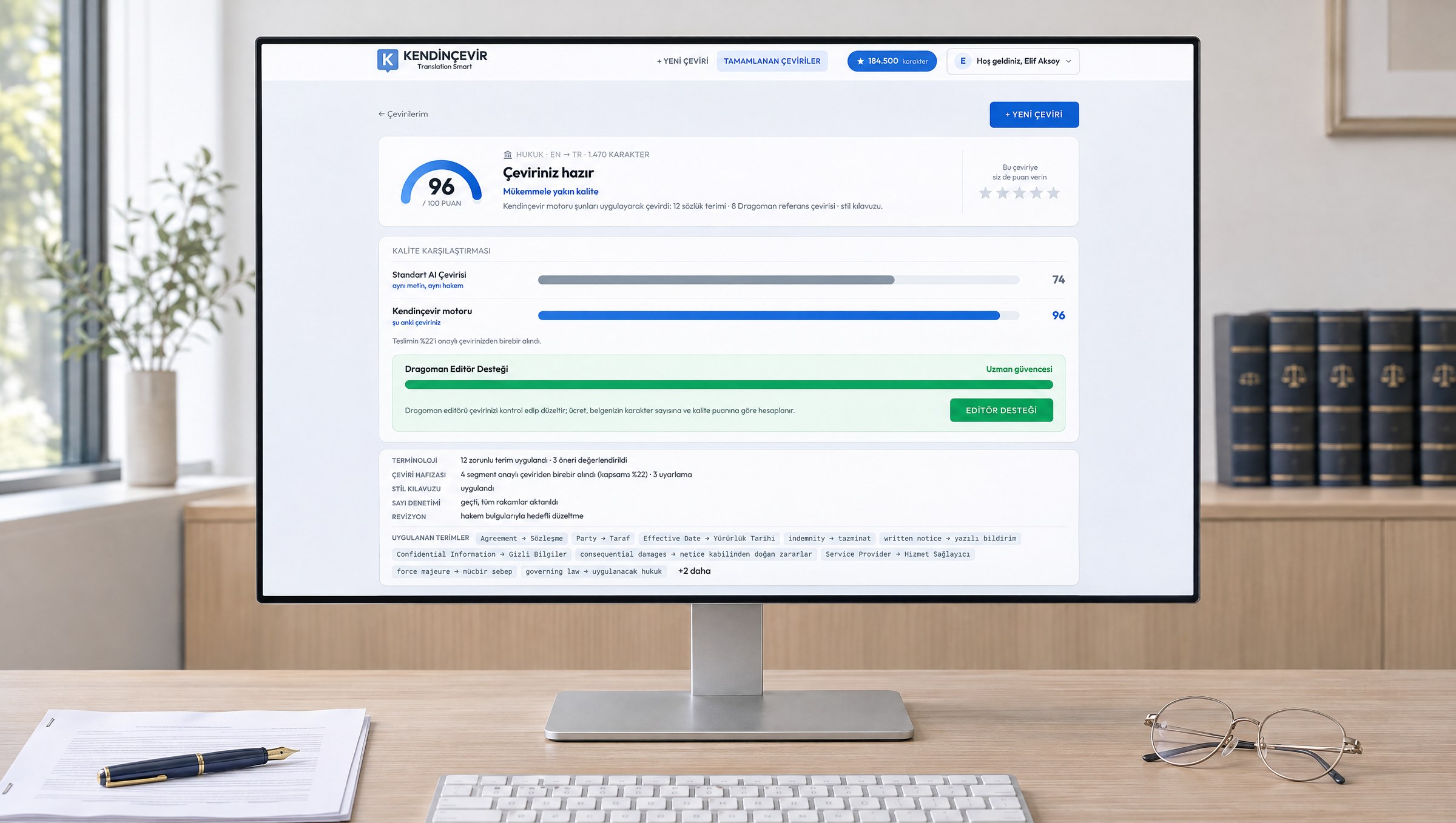
The translation then goes before a reviewer: a second AI, independent of the one that translated, checks the text against MQM, the international quality metric that counts errors by type and weight, and scores it out of a hundred. A plain AI translation of the same text goes before the same reviewer. The user sees the two scores side by side on the results screen.
Kendinçevir does not merely say the translation is good. It shows it, in every document.
What We Did.
- 01Product Concept
We conceived from scratch a product that joins Dragoman's translation expertise with AI: themes prepared by subject, quality measured by an independent reviewer and an editor who steps in when needed became the backbone of the product.
- 02Translation Engine
We built a translation engine that runs translation, spelling checks, the independent reviewer and targeted correction in a single pipeline. Terms, approved translations and style rules feed the engine on every job. The score is calculated against MQM, the international quality metric.
- 03Interface Design
We designed the screens where the user starts a translation, receives the result with its score and reads the text beside its source. Each screen is given to a single task. The results screen puts the basis of the quality in front of the user.
- 04Membership and Payment
We built the flow of membership, trial period, monthly plans, character balance, card payment and invoicing. Editor support sits inside the same flow: the fee is calculated per document and covered by card or from a monthly budget.
- 05Admin Panel
We built the panel from which Dragoman's team manages themes, translations, members, plans and editor requests. For every job the reviewer's assessment, its steps and the resources used can be seen in the panel from start to finish.
- 06Website
We published kendincevir.com at the same address as the product, in Turkish and English, on our content management system. We applied the new name and logo to the site and the product.
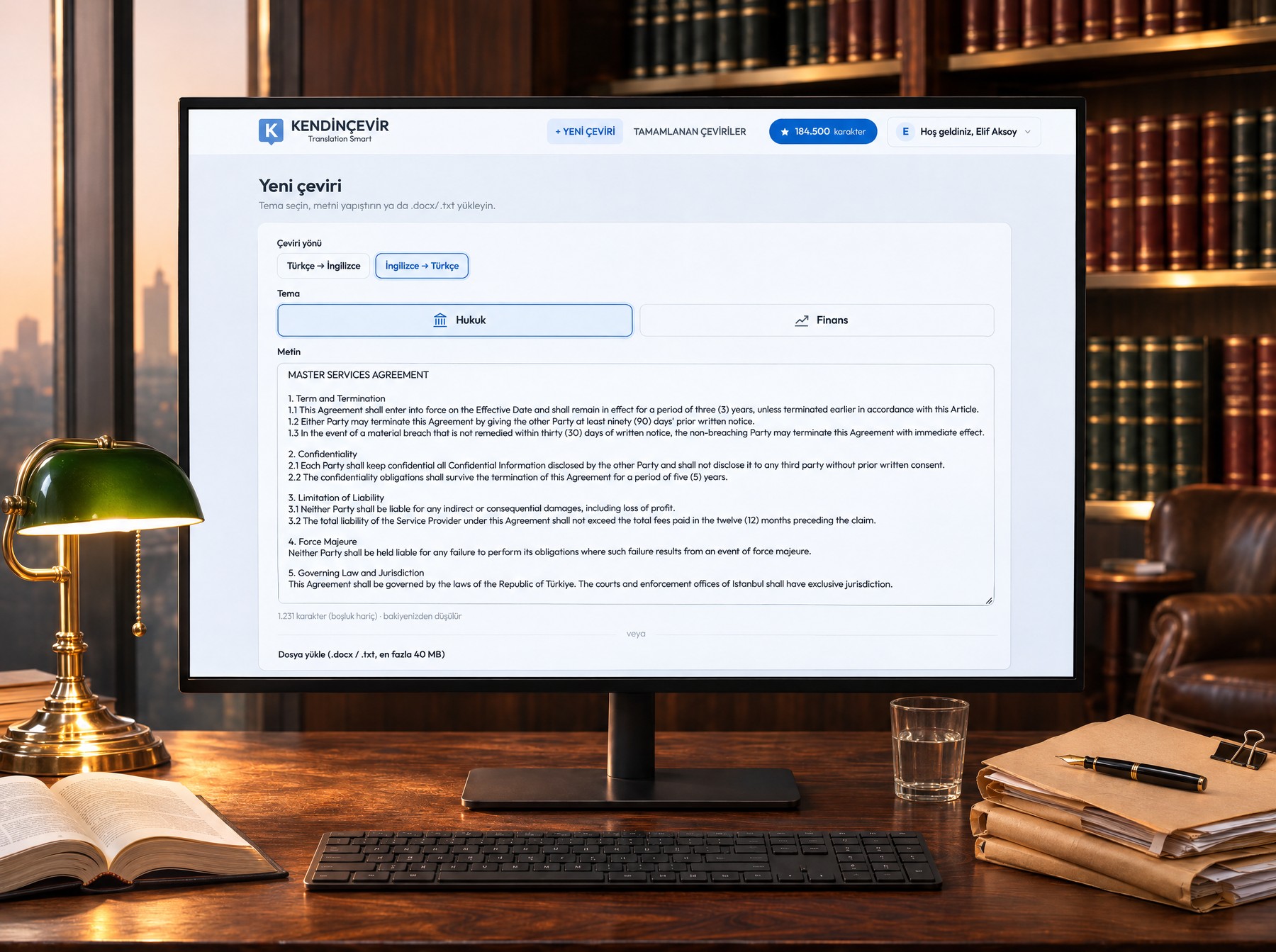
Translation starts on one screen: direction, subject, text.
The user chooses the direction of translation and the subject of the document, pastes the text or uploads a Word file. They see and approve the number of characters to be spent, and the translation begins.
With a long document the page can be closed: an email arrives when the translation is done and the result waits in My Translations. If a Word file was uploaded, the translation also comes down as Word, with its formatting intact.
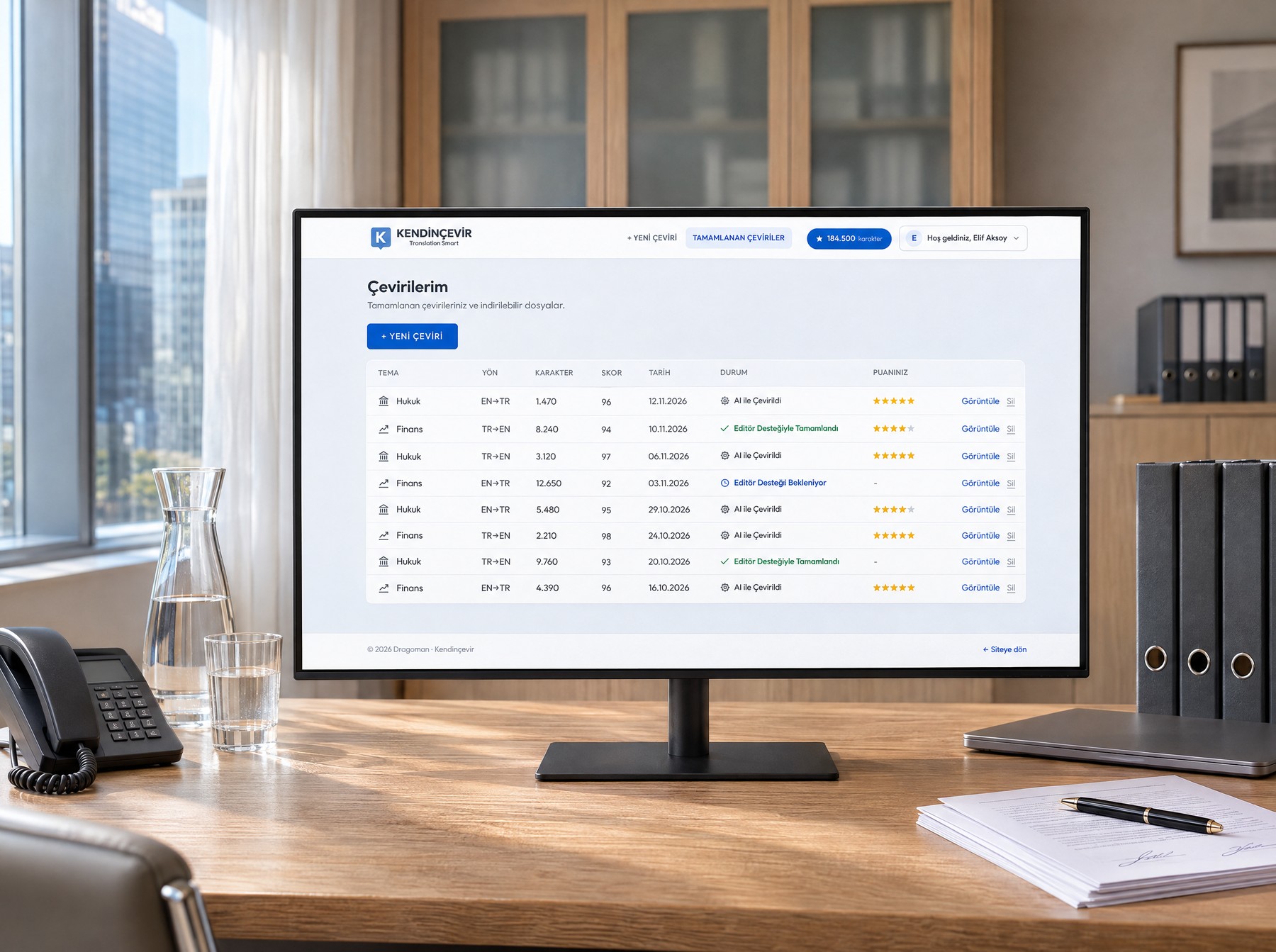
Earlier translations wait in the archive with their score and file.
Every translation is listed with its subject, direction, character count, score and date. The status of a translation sent for editor support shows on the same line.
The user rates each translation, reopens the result, downloads the file or deletes it. Months later a document is still there, with the same score and the same breakdown.
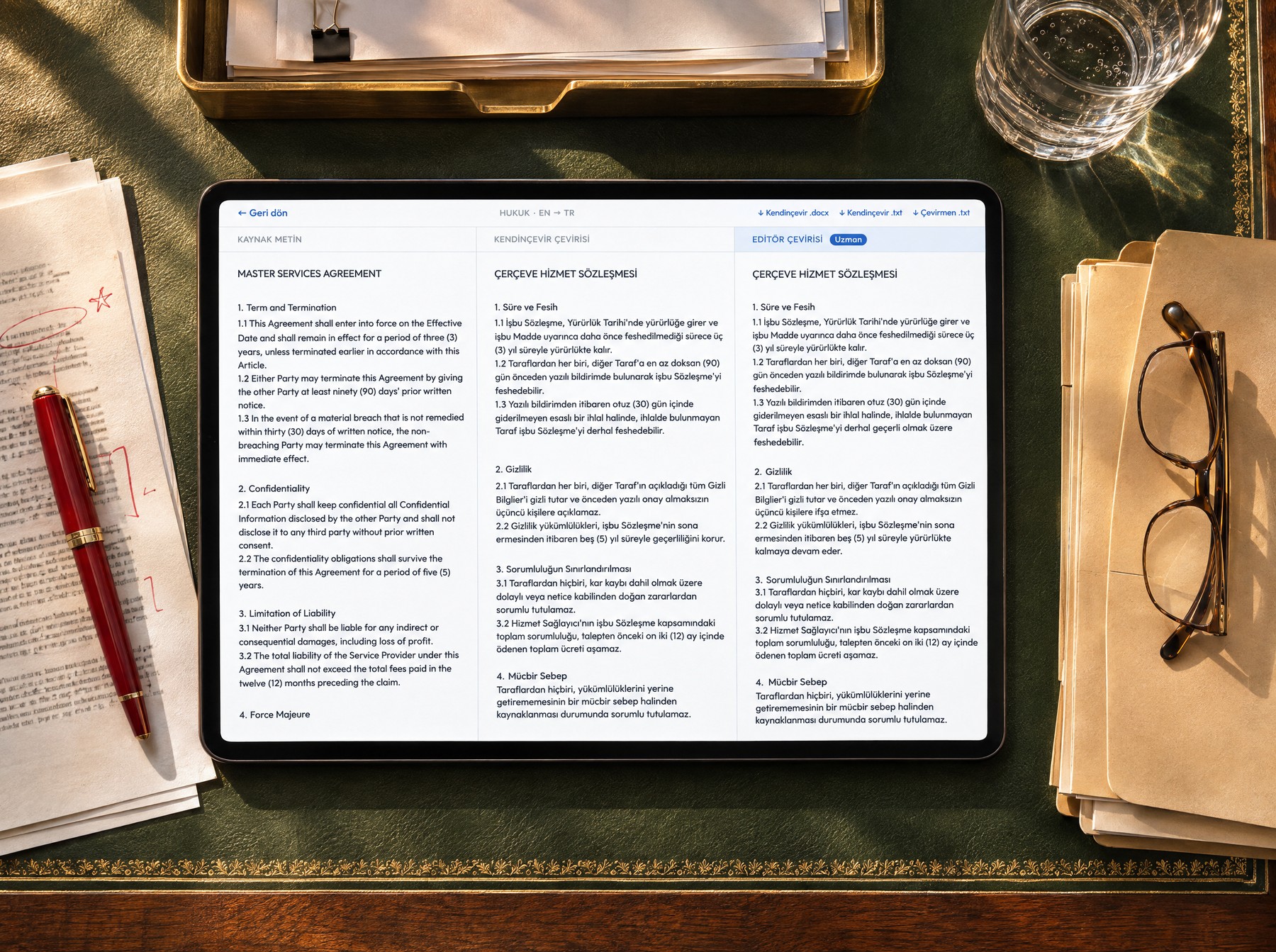
Source, translation and the editor's text can be read side by side.
The source text, the Kendinçevir translation and, where there is one, the editor's corrected text sit in three columns side by side. The user reads every sentence against its source. The translation downloads as Word or plain text, and in the Word file the formatting is kept.
Editor support starts here: without leaving the results screen the user asks Dragoman for an editor, and Dragoman's editor checks and corrects the translation. The fee is calculated from the document's length and score, and the user sees the amount before making the request.
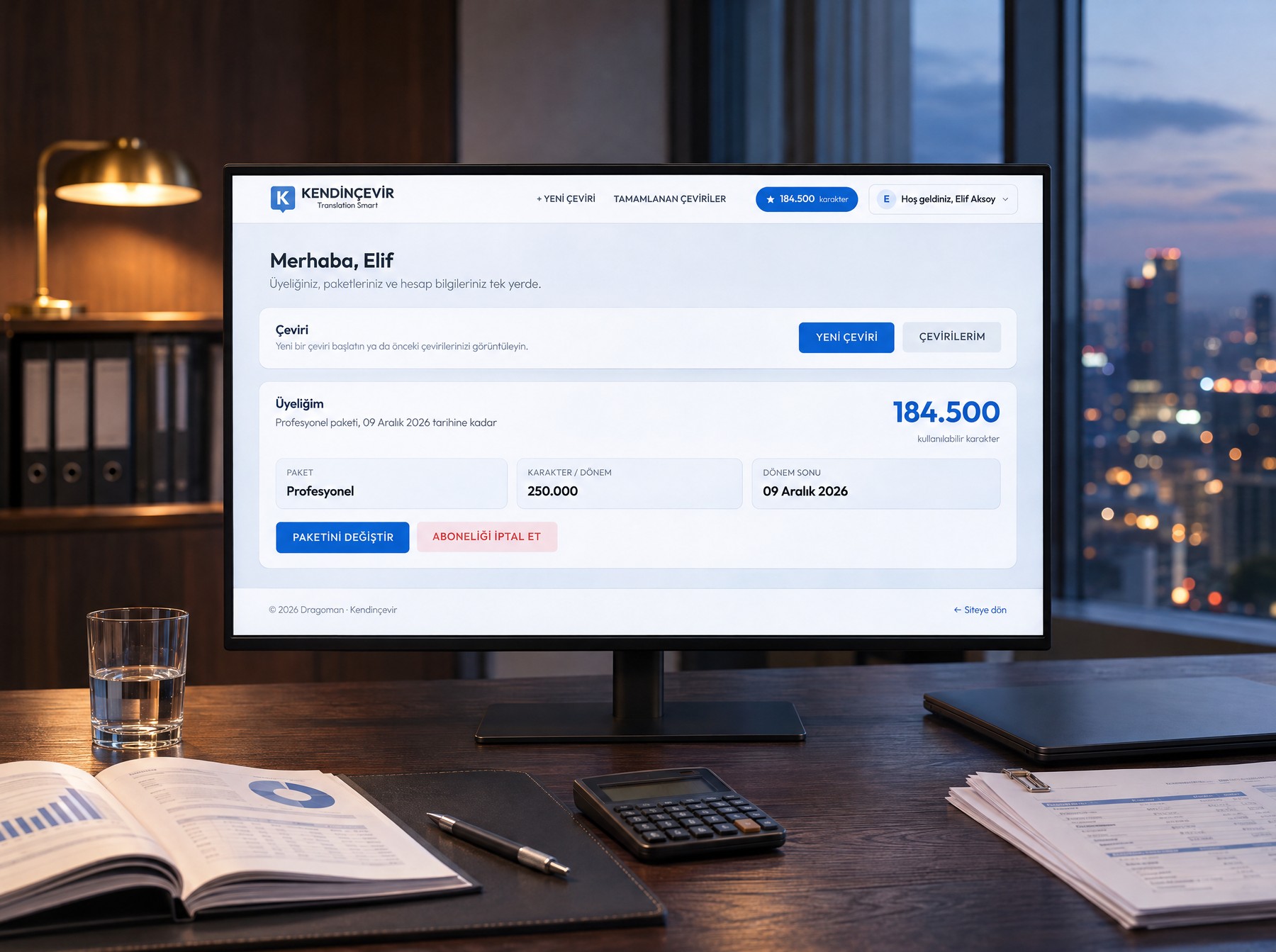
Membership and remaining characters on one screen.
Plan, end of period and remaining characters at a glance. From here the user moves from the trial to a paid plan, changes plan, and adds characters when the plan runs short.
Personal or company invoicing details, invoices and profile are on the same screen. Every payment is credited to the balance the moment it completes.
We built the panel from which Dragoman runs the product.
Behind the screens the user sees is an admin panel used by Dragoman's team. The expertise that determines translation quality, every translation made, members and sales, and the editors' work are all managed from here.
The panel's first screen gives the state of the day: how many members there are, how many are on a paid plan, how many characters were consumed this month, the average score of the translations, which theme is used most. Any pending editor request or refund request shows on the same screen. Dragoman starts its day here.
Each screen corresponds to one task: the themes with their terms, translation memory and style rules, completed jobs and the reviewer's assessment, members, plans and payments, editor requests and budget, the scores given by users. To run the product, Dragoman never needs to leave this panel.
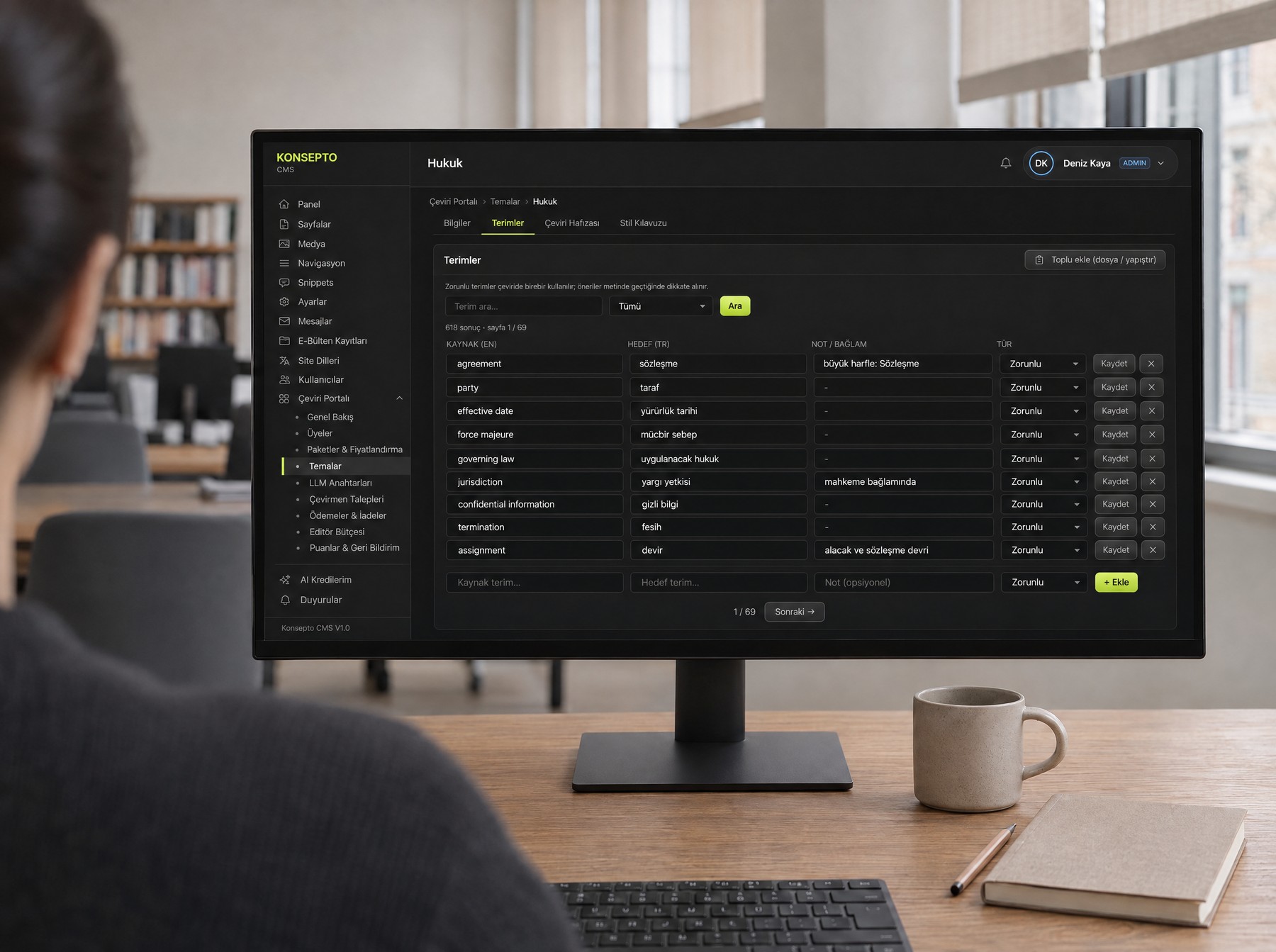
Themes: terms, approved translations and style rules in one place.
Terms are added one by one or from an Excel sheet. For each term Dragoman decides whether it is to be used verbatim or as a suggestion. Earlier translations are uploaded as files, sentence pairs are extracted automatically and faulty entries are weeded out.
Style rules are written separately for the two directions of translation, and words that must not be used are banned. Each theme's quality report measures how much better its translation is than plain AI.
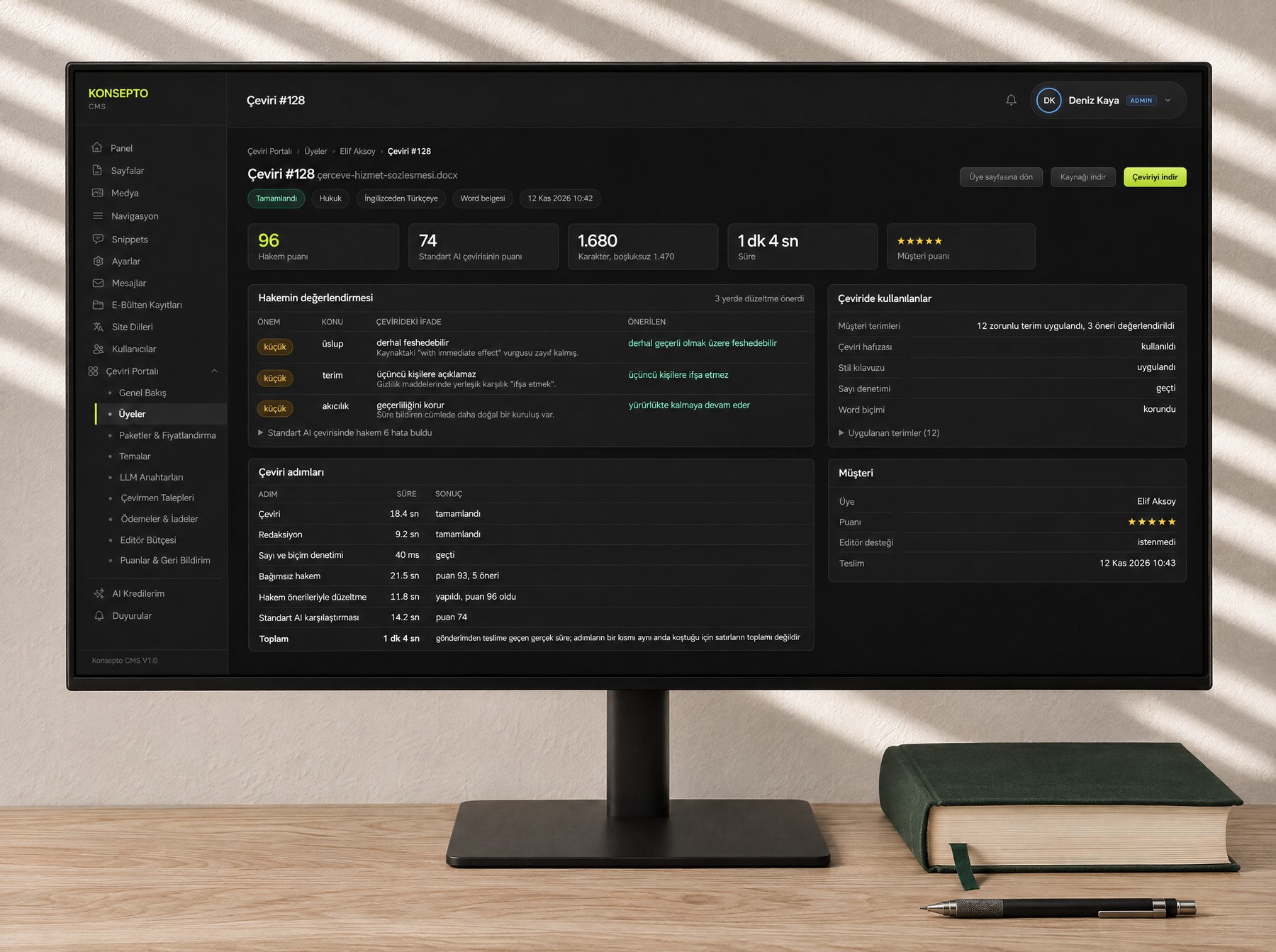
How every translation was made can be followed at every stage.
The errors found by the reviewer are listed one by one: severity, category, the wording in the translation and the suggested correction. The steps the translation went through, their timings, the terms and approved translations used are on the same page.
The source text, the translation and the plain AI translation read side by side. The scores and comments given by users are gathered on a separate screen.
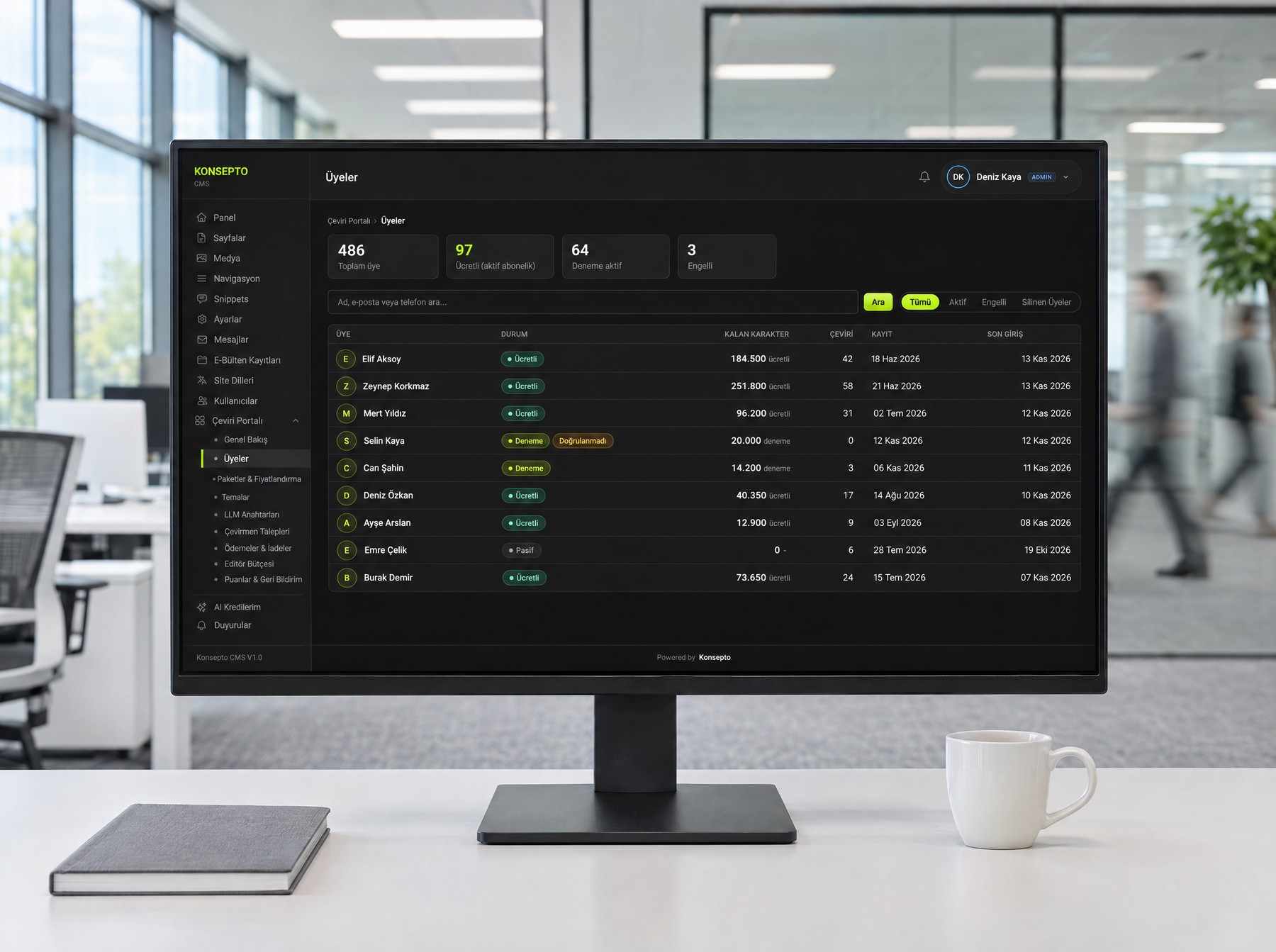
Members and sales: from membership to invoice, all in the panel.
Each member's plan, remaining characters, trial status and a breakdown of character movements, personal and company invoicing details. Plans, prices, trial period and the sale of characters outside a plan are set here.
Dragoman can gift characters to a member or assign a plan. Payment records, refund requests and account deletion requests are handled here.
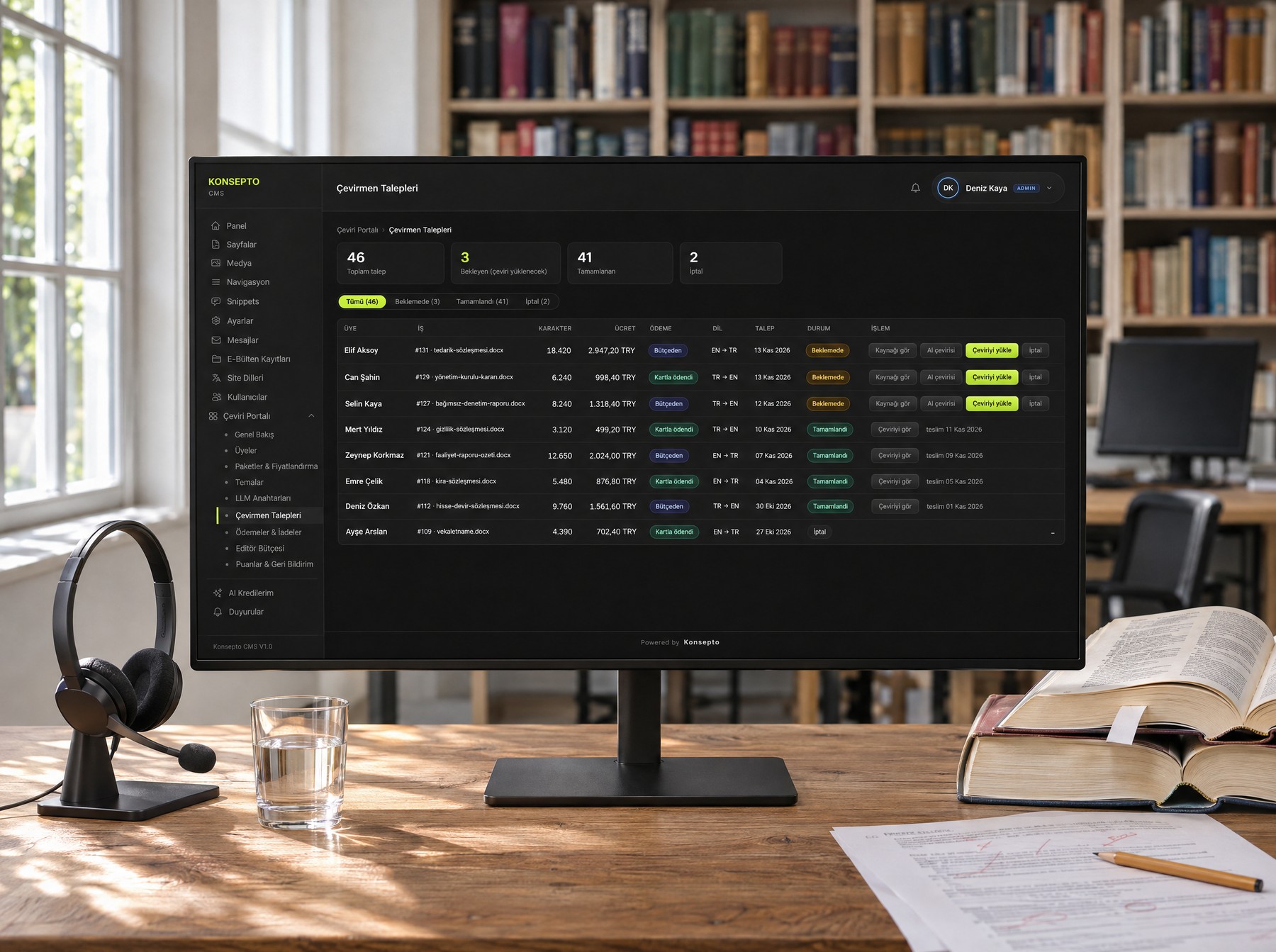
Editor support: a request lands in front of Dragoman as a job.
In the request list the source text and the AI translation stand ready. When the editor's text is uploaded, the request completes itself and the text appears on the user's screen.
A customer can be given a monthly editor budget. If the fee fits within the budget, no card is asked for. The fee is calculated from the document's length and the reviewer's score at the price set in the panel.
Dragoman's expertise now works inside a piece of software.
The user uploads a document and receives the translation together with its score. If they wish, they reach Dragoman's editor from the same place. Dragoman, in turn, manages its expertise, its translations and its customers from a single panel.